Know who’s coming, what it costs, and where everyone sits.
AlmostWed keeps your guest list, RSVPs, budget, seating plan, checklist and wedding website in one account you share with your partner. Your guests never need to sign up for anything.
Free to plan · No credit card · $49 once to publish. Never renews.
From the team behind Weddify, which hundreds of couples in Sweden used to plan their weddings. Our story
One reply updates everything.
A guest replies on your wedding website. You confirm it once. The headcount, the meal counts and the list of who still needs a seat change with it. No copying between a form, a spreadsheet and a floor plan.
-
1 · On your website
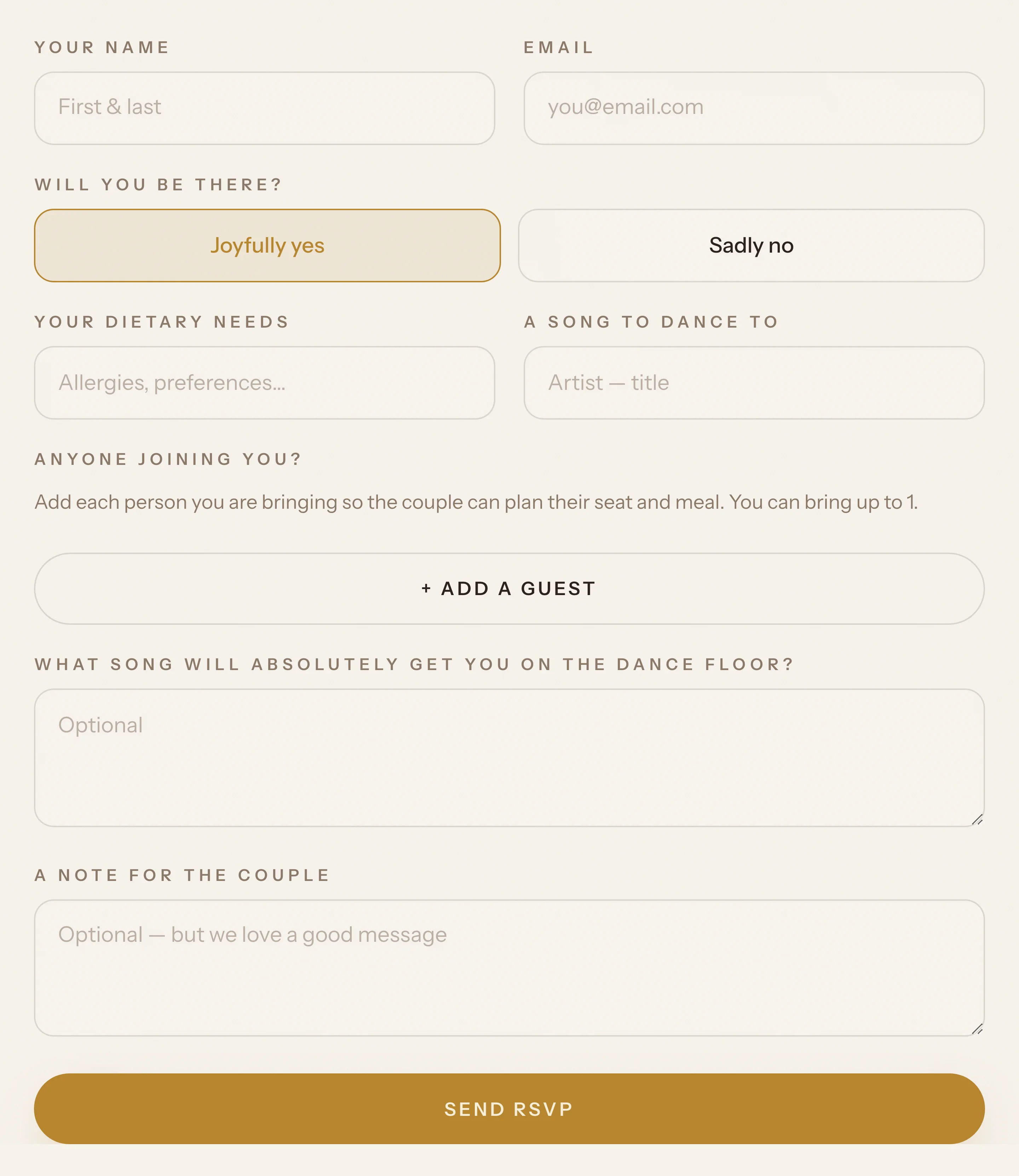
A guest replies
They answer yes or no, add the person they are bringing and write in an allergy. No account, no app.
-
2 · In your inbox
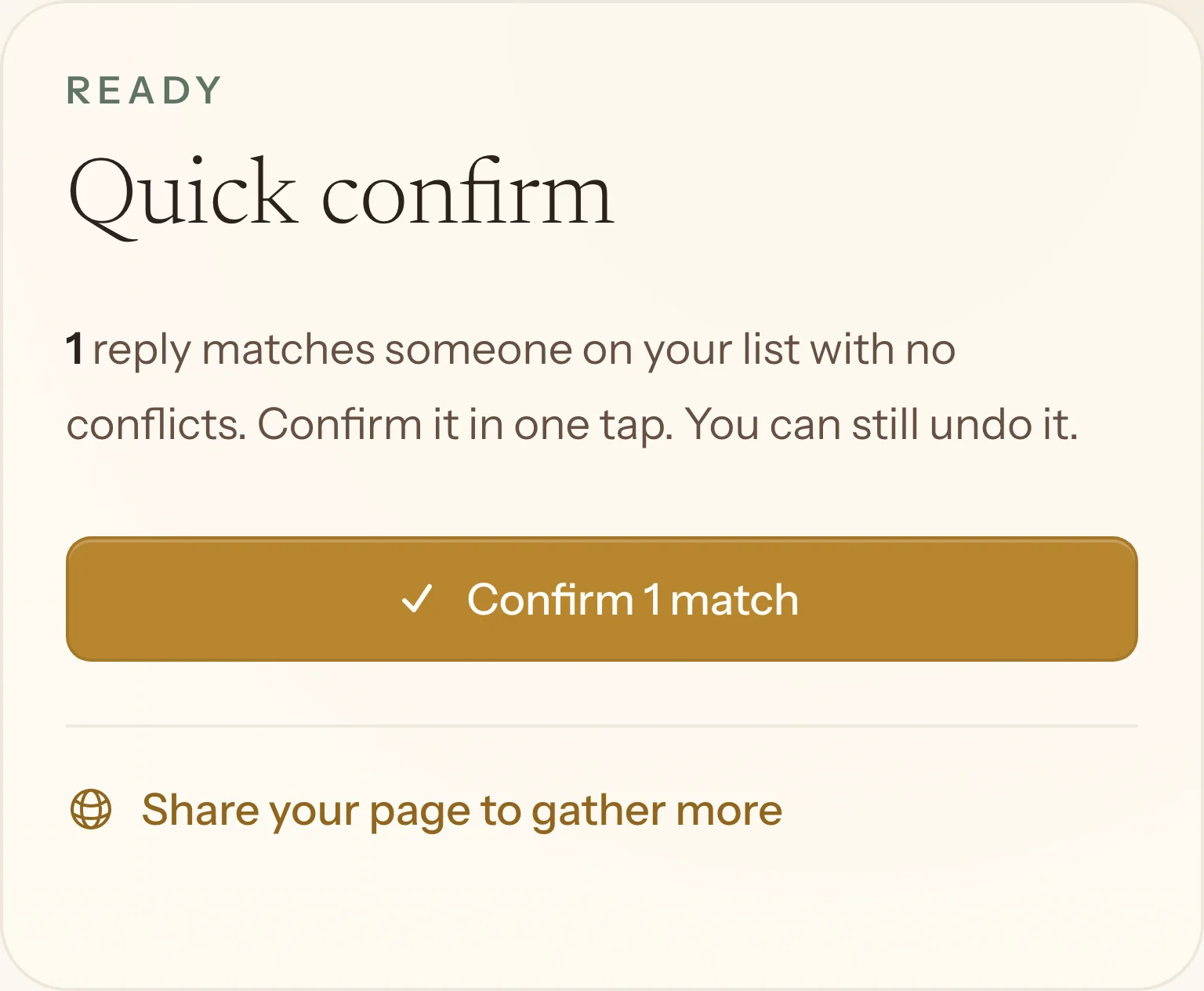
You confirm it in one tap
Replies are matched to your list before they change anything, so a misspelt surname never becomes a duplicate guest.
-
3 · Everywhere else
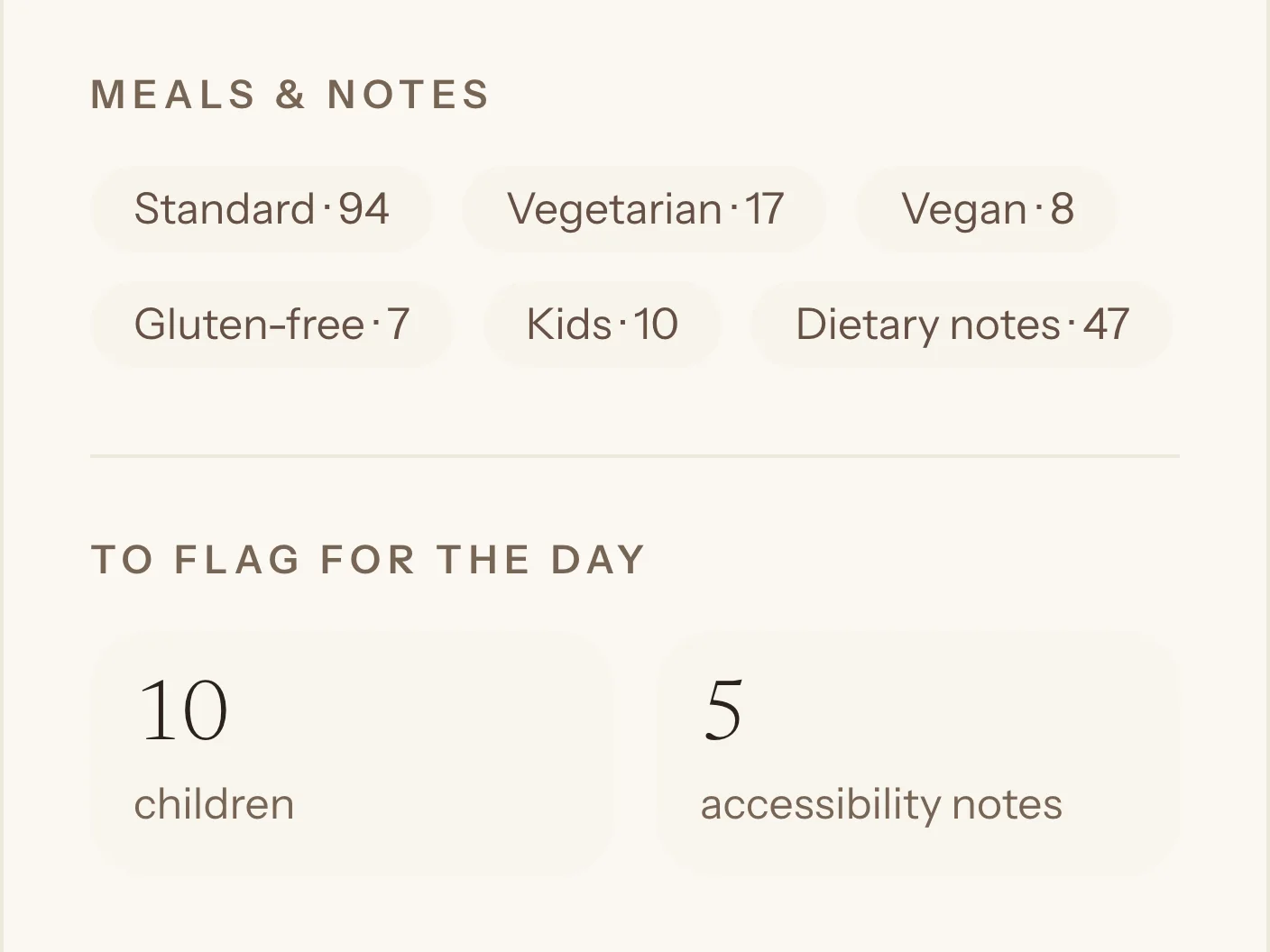
Your numbers are already right
Confirmed guests, vegetarians, children and open seats update the moment you confirm. Print the list for the caterer when it is final.
Every tool, up close.
Seven tools behind one login. Pick one to see the actual screen.
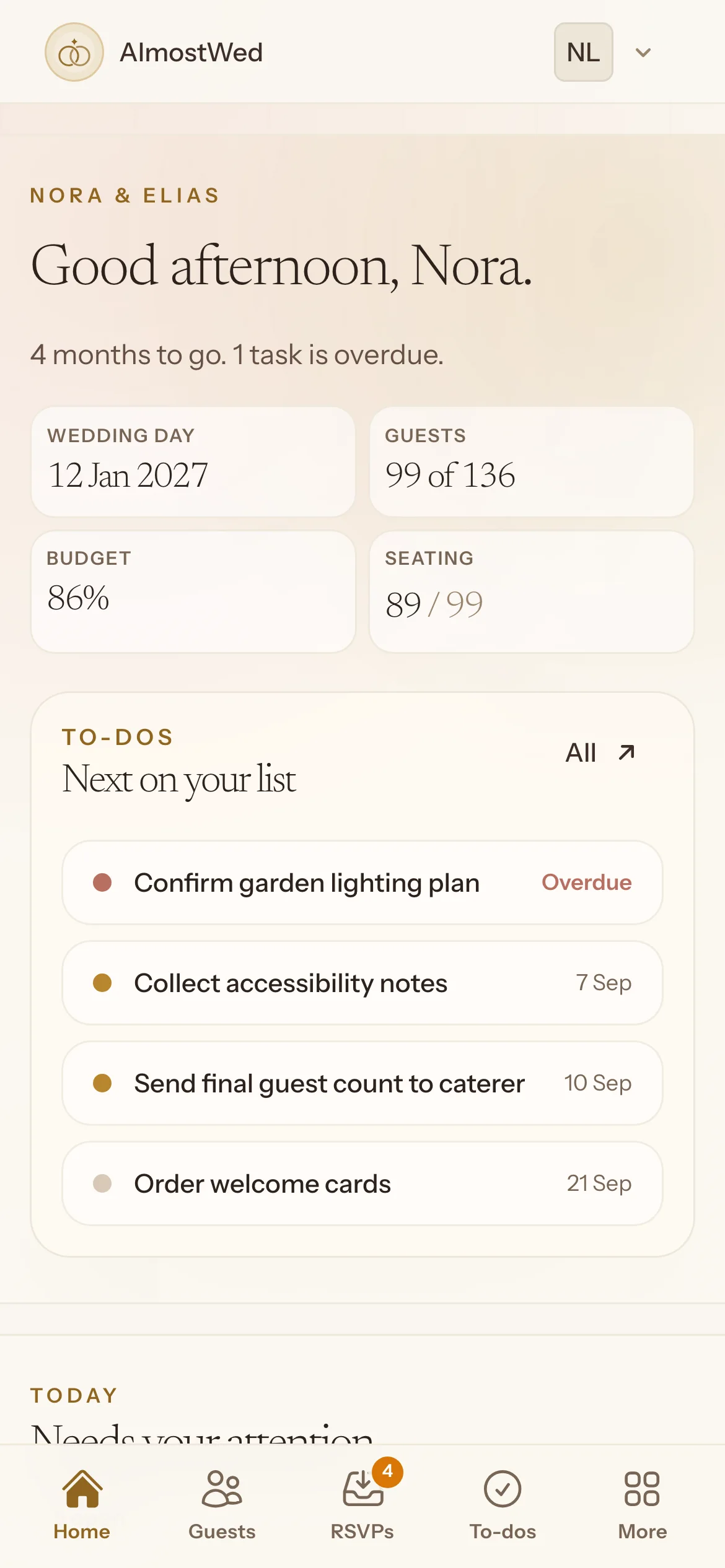
Guests grouped by household, not a flat A to Z list.
Plus-ones sit under the person who invited them. Search by name, group or note, filter by side or reply, and import a spreadsheet to get going. Meal choices, allergies and children are counted for you.
More about the guest list
Replies wait in an inbox until you confirm them.
Each reply from your website is matched to your list. A clean match takes one tap. A near match waits for a look. Nothing on your list changes until you say so, and you can undo.
More about the rsvps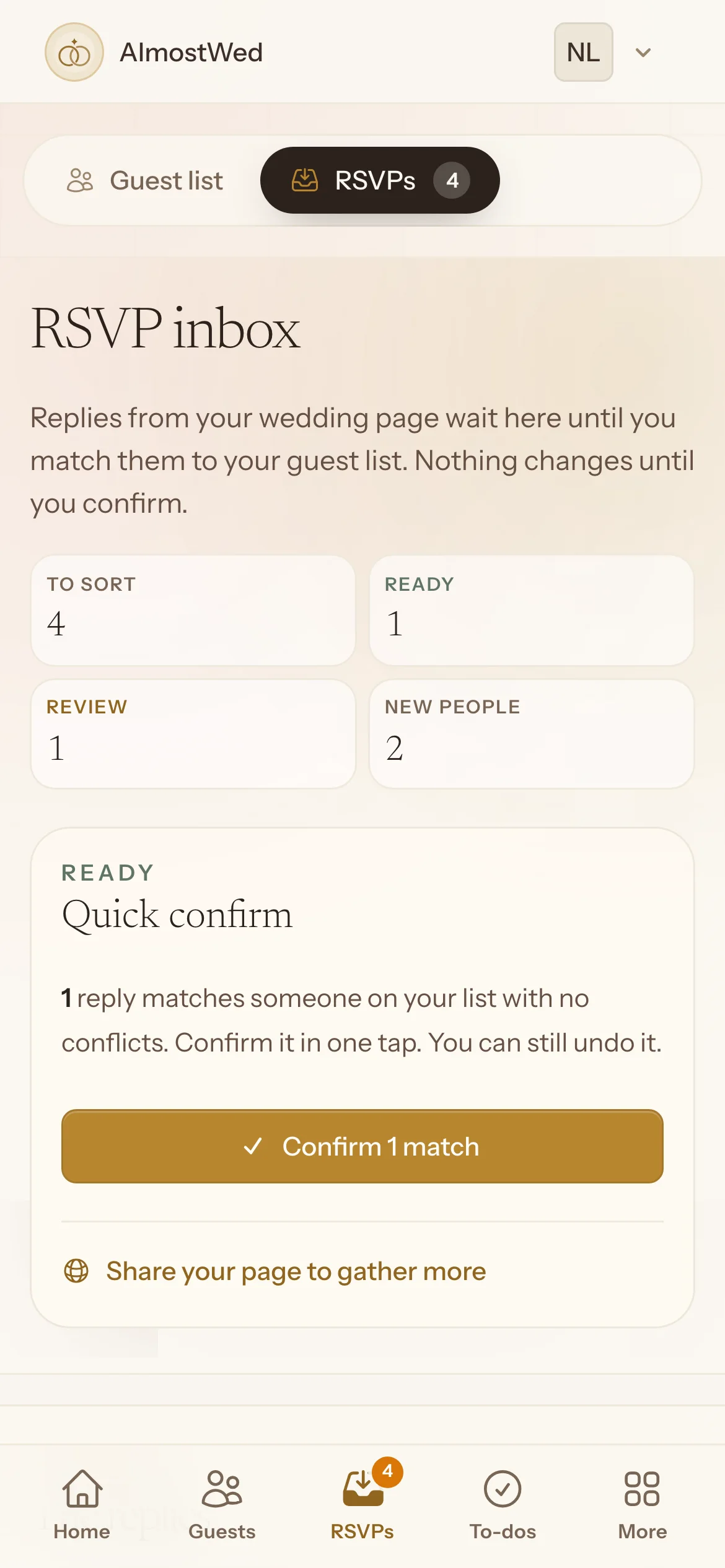
Every cost goes from estimate to booked to paid.
Set a total, add costs as you agree them, and see what is still to pay in your own currency. Print a summary when a parent asks where the money is going.
More about the budget
Seat from a list, or lay out the whole room.
Round and long tables, a dance floor, a bar. Keep-together and keep-apart rules flag the pairings that would ruin a table. Print the chart for the venue.
More about the seating chart
Tasks with an owner and a date, overdue ones first.
Start from a suggested checklist paced to your wedding date, or write your own. Give each task to one of you. The dashboard shows what is next, not everything at once.
More about the checklist
The day, hour by hour, for everyone helping.
Plan from hair and makeup to the last dance. Mark the moments guests should see on your website. Print a schedule for the photographer, the venue and the friend running the day.
More about the day timeline
One link that answers the questions before they become texts.
Your story, the schedule, travel, gifts, an FAQ and the RSVP form on your own address. Five colour themes. Guests never sign up for anything.
More about the wedding website
Plan it together, not in parallel.
- One account for both of you
- Invite your partner and anyone helping, such as a parent or the friend who owns the spreadsheet. Everyone sees the same list and the same numbers.
- Tasks have owners
- Give the caterer call to whoever is better on the phone. Due dates and overdue flags keep it honest.
- Works on your phone
- Confirm a reply from the sofa or check the budget in the venue car park. A short Monday email of what is due this week is there if you want it, and off by default.
Guests get one link.
When, where, what to wear, where to stay, what to give, and the RSVP form. All on one page at your own address, in a theme that matches your day.
See a demo wedding siteA website we made for a make-believe couple. Opens in a new tab.
How it works
Just engaged or six weeks out, start with what you have and add the rest as it happens.
-
Add your guests
Import a spreadsheet or type the names. Group them into households and decide who gets a plus-one.
-
Set the money and the dates
Enter your total budget and the costs you already know. Turn on the suggested checklist or write your own.
-
Share your website and collect replies
Send one link. Confirm replies as they arrive, seat the yeses, and print the plans for the people helping on the day.
One wedding.
One payment.
Every planning tool is free for as long as you need it. Pay $49 once when you are ready to invite guests, and your wedding website goes live.
Most wedding apps either bill you monthly or make their money from vendors. We charge once, show no ads, and never sell your details.
Why one payment?Never renews.
Planning is free. The payment publishes your wedding website and turns on online RSVPs.
- Your wedding website, live for guests
- Online RSVPs into your guest list
- Unlimited guests and replies
- Your partner and helpers
- Printable plans and a guest export
- Access after the wedding
No credit card. Pay only when you are ready to invite guests.
Why we built it
We made Weddify in Stockholm in 2023 for Swedish couples. Hundreds of them planned their weddings with it, and we saw what actually got used: the guest list, the replies, the money, the seating. AlmostWed is that product rebuilt for couples anywhere, with one price and no subscription.
If anything on this page is unclear, write to me. I read every message.
Martin, founder · Lucius AB, Sweden · [email protected]
Before you start
Something else? Email us.
What do we actually pay for?
Planning is free with no time limit: guest list, budget, seating, checklist and timeline. Publishing your wedding website, the link guests use to RSVP, is a one-time $49.
Is it really just one payment?
Yes. $49 covers one wedding and every tool until long after the day. It never renews and there is no higher tier.
Can my partner plan with me?
Yes. Invite your partner, a parent or a friend at no extra cost. You all work on the same guest list, budget and checklist, and you can assign tasks to each other.
Do our guests need an account?
No. Guests open your wedding website, read the details and send their reply. There is nothing for them to install or sign up for.
Is anything held back until we pay?
Only publishing. Every planning tool works fully for free with unlimited guests, and you can build and preview your website. The $49 makes it live for guests. You do not enter a card to start.
What happens after the wedding?
You keep access to your guest list, budget, seating chart and timeline, and your wedding website stays up.
Start with the guest list.
Create your wedding, add the first names and invite your partner. Free to plan. No credit card.